

JoeNotes The 20-second version
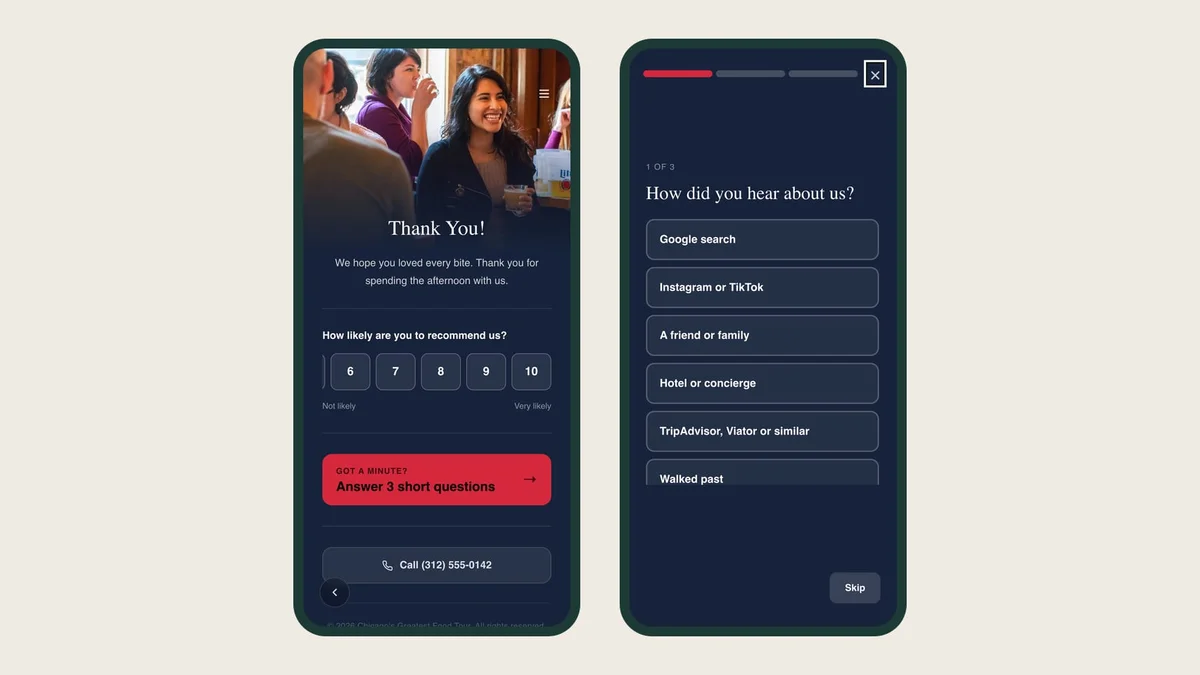
At the end of the tour, guests can give you a score from 0 to 10 with one tap.
Then they can answer three short questions. Each guest gets a different set, so over a season you hear about everything.
The questions use your own stops, and they reach guests in their own language.
On every Destination Leader and The Landmark account. Two switches on the Back Page.
Every operator I know asks guests how the tour went. Most of them ask it out loud, at the last stop, to a group that is putting its coats on. You hear "it was great!" twelve times and learn nothing you can use on Monday.
The guidebook is still open on their phone at that moment. So now it asks for you.
One score, one tap
The Back Page, the last page of the tour, can show a single question: how likely are you to recommend us, from 0 to 10. A guest taps a number and they are done. It is the same score a lot of companies track as NPS, so you can compare yourself with anyone who reports one.
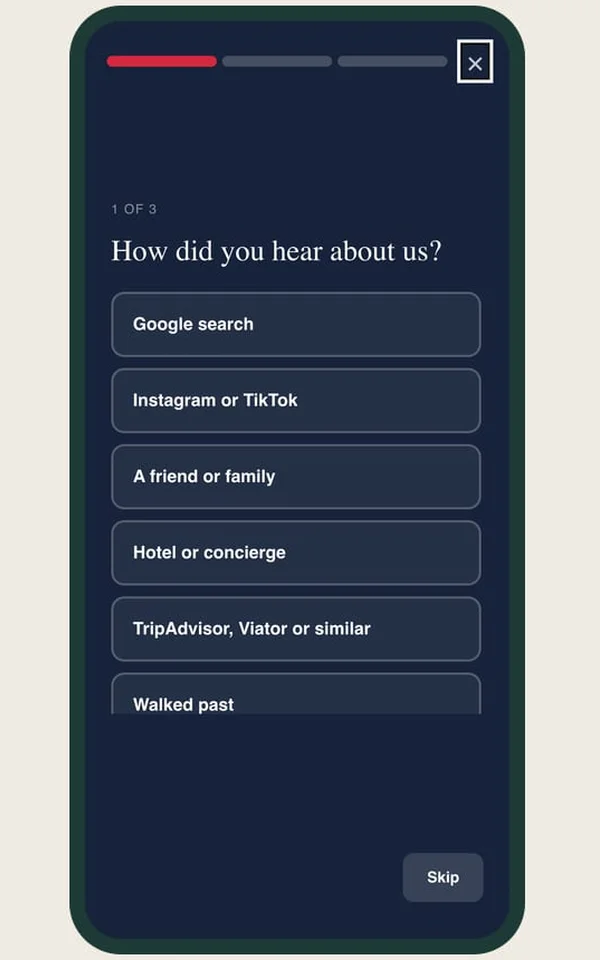
Three short questions
Under the score is an invitation to answer three short questions. Three, because short enough that a guest tells the person next to them it was easy is worth more than a fourth answer. At most one asks them to write anything, and it always comes last. A guest who is enjoying it can carry on to another set, up to three.
We wrote the questions for tour operators rather than borrowing them from a hotel. They cover the things you actually decide with:
- Where the booking came from. Google, Instagram, a friend, a hotel concierge, TripAdvisor or Viator, or walking past. That is next month's marketing budget.
- How guests describe you. In their own words, which is usually better than whatever is on your sales page.
- How the tour ran. The pace, the best part, the weakest stop, anything they expected that was missing.
- Whether they would come back. Would they book another tour with you.
- Whether the guidebook earned its place. Did they use it, and what would have made it more useful.
Each guest is handed a set at random. A tour of twenty people answers across the whole list, instead of the same three questions twenty times.
Your stops are in the answers
A question like "which part could we improve?" lists your actual stops, and so does "what was the best part?" Both are taken from the guidebook the guest is reading. Change your route and the answers change with it. Nobody has to remember to update a form.
That is the part a generic survey tool cannot do, because it does not know where your tour went.
In their language, read in yours
The questions reach guests in whichever of the guidebook's languages they are reading. A guest who answers in Spanish shows up in your reports in English, with the original one tap away.
Where the answers go
Everything lands in Reports, pooled by question, so a question that appears in two different sets reports as one. Written answers are there in full.
Turning surveys on
- Open a guidebook and go to the Back Page.
- Switch on NPS rating for the score, and Three-question survey for the questions. The questions load themselves.
- Do it for each guidebook you want answers from. Then give it a few tours before you go looking.
Surveys are included on Destination Leader and The Landmark. Founding members had them first.
If there is a question you wish we had asked, tell me. The one you are thinking of is probably the one three other operators are thinking of too.